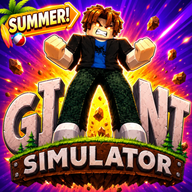
Giant Simulator: REBORN on iOS: How to Play, Tips, and Mobile Performance
Discover if Giant Simulator: REBORN is available on iOS, how to play on your iPhone or iPad, and essential tips for maximizing your mobile gaming experience. Get ready to grow!
Embark on Your Epic Growth Journey: Giant Simulator: REBORN on iOS
Are you eager to dive into the world of massive growth and epic battles, but wondering about the accessibility of Giant Simulator: REBORN on iOS devices? You're not alone! Many players are searching for the best way to experience this popular Roblox game on their mobile phones and tablets. Fortunately, the answer is a resounding yes – you can absolutely play Giant Simulator: REBORN on iOS, and this guide will walk you through everything you need to know to become the biggest giant on the go.
This article will explore how to get started, offer crucial tips for optimizing your mobile gameplay, and ensure you have all the information to enjoy this thrilling simulator wherever you are. Whether you're a seasoned Roblox player or new to the platform, understanding the nuances of playing on a mobile device is key to dominating the leaderboards.
What is Giant Simulator: REBORN?
Giant Simulator: REBORN is a highly engaging Roblox experience where players strive to become the largest and most powerful giant in the game world. It's an incremental simulator that blends clicker mechanics with RPG elements, creating a compelling loop of growth and progression. Players start small, clicking to gain XP and gradually increase their size and strength.
The core gameplay revolves around several key activities:
- Clicking for XP: The fundamental mechanic to grow larger.
- Leveling Up: Unlocks better gear, weapons, and armor.
- Pet System: Hatch, collect, and upgrade pets that provide significant boosts and grow alongside you.
- Rebirths: A crucial progression system that allows players to reset their progress for powerful permanent bonuses, making them even stronger in subsequent runs.
- Leaderboards: Compete with other players to prove your dominance and rule the server.
The game is designed to be highly addictive, constantly offering new goals and rewards. Its straightforward yet deep progression system makes it appealing to a wide range of players.
Key Features of Giant Simulator: REBORN
| Feature | Description | Benefit to Player |
|---|---|---|
| Incremental Growth | Click to gain XP, grow larger, and become stronger. | Satisfying progression, constant sense of achievement. |
| Gear & Weapons | Unlock and equip powerful swords, armor, and accessories. | Boosts stats, enhances combat, visual customization. |
| Pet Collection | Hatch, upgrade, and evolve unique pets that assist in gameplay. | Passive bonuses, increased XP/strength, companion. |
| Rebirth System | Reset progress for permanent power boosts and new opportunities. | Long-term progression, prevents stagnation. |
| Leaderboards | Compete globally with other players for top ranks. | Competitive aspect, prestige, community engagement. |
| Regular Updates | New content, events, and features frequently added by developers. | Keeps the game fresh and exciting. |
Is Giant Simulator: REBORN Available on iOS Devices?
Yes, absolutely! Giant Simulator: REBORN on iOS is fully accessible through the official Roblox application. Since Giant Simulator: REBORN is a game within the Roblox platform, its availability on iOS directly depends on the Roblox app itself. Roblox is renowned for its cross-platform compatibility, allowing players to seamlessly switch between different devices without losing progress. This means you can start playing on your PC, then pick up right where you left off on your iPhone or iPad.
The developers of Giant Simulator: REBORN design their game experiences to be compatible with Roblox's mobile framework. This ensures that the core mechanics, visuals, and user interface are optimized for touchscreens and smaller displays, providing a consistent experience whether you're on a desktop computer or using Giant Simulator: REBORN on iOS.
Roblox's Cross-Platform Advantage
Roblox's robust infrastructure supports a wide array of devices, including:
- PC (Windows/macOS)
- Mobile (iOS/Android)
- Xbox
- PlayStation
- Meta Quest (VR)
This extensive compatibility is a major reason for Roblox's widespread popularity, as it allows friends to play together regardless of their preferred gaming device. For Giant Simulator: REBORN, this translates into a massive potential player base and the convenience of playing anytime, anywhere, directly from your iOS device.
How to Play Giant Simulator: REBORN on Your iOS Device
Getting started with Giant Simulator: REBORN on iOS is a straightforward process. If you already have the Roblox app installed, you're just a few taps away from growing your giant. If not, don't worry – the setup is quick and easy.
Here’s a step-by-step guide to playing Giant Simulator: REBORN on your iPhone or iPad:
Step-by-Step Guide to Playing on iOS
| Step | Action | Details |
|---|---|---|
| 1 | Download the Roblox App | Open the Apple App Store on your iOS device. Search for "Roblox" and tap "Get" to download and install. |
| 2 | Create/Log In to Your Roblox Account | If you're new, sign up for a free Roblox account. If you already have one, simply log in with your credentials. |
| 3 | Search for "Giant Simulator: REBORN" | Once logged in, use the search bar at the top of the Roblox app. Type "Giant Simulator: REBORN" and press enter. |
| 4 | Select the Official Game | Look for the game titled "Giant Simulator: REBORN" by the official developer. Double-check the creator to ensure it's the correct experience. |
| 5 | Tap the Play Button | On the game's page, you'll see a large green "Play" button. Tap it to launch the game. |
| 6 | Start Your Giant Journey! | The game will load, and you can immediately begin clicking, growing, and exploring the world of giants. |
It's important to ensure you have a stable internet connection for the best experience. Roblox games, including Giant Simulator: REBORN, require a continuous connection to their servers.
Maximizing Your Giant Simulator: REBORN iOS Experience
While playing Giant Simulator: REBORN on iOS offers incredible convenience, there are several tips and considerations to enhance your mobile gameplay. From optimizing performance to mastering touch controls, these insights can give you an edge.
Performance and Graphics Settings
Mobile devices, especially older models, may struggle with higher graphics settings. Roblox allows you to adjust these to balance visual quality with smooth performance.
- Adjust Graphics Quality: In the Roblox in-game settings (usually accessible via the escape menu or a gear icon), you can lower the graphics quality. This can significantly reduce lag and frame drops, making your clicking and movement much smoother.
- Close Background Apps: Before launching Roblox, close any unnecessary apps running in the background. This frees up RAM and CPU resources for the game.
- Ensure Sufficient Storage: Make sure your iOS device has enough free storage. Low storage can impact overall device performance, including gaming.
Mastering Touch Controls
Giant Simulator: REBORN relies heavily on clicking and movement. While the game is designed for touch, practice can make perfect.
- Customizable UI: Explore if the game offers any UI customization options for button placement or size to suit your hand position.
- Practice Movement: Get comfortable with the virtual joystick for movement and camera controls. Some players prefer a fixed camera, while others like to rotate it freely.
- Efficient Clicking: For the core clicking mechanic, find a comfortable rhythm. Some players use multiple fingers if their device supports it, or simply tap rapidly with one.
Essential Gameplay Tips for Mobile Players
Playing Giant Simulator: REBORN efficiently on iOS involves more than just technical adjustments. Here are some player experience tips:
- Focus on Pets Early: Community reports suggest that investing in good pets early on can significantly boost your XP and strength gains, making the initial grind faster. Their passive bonuses are incredibly valuable.
- Prioritize Rebirths: Don't be afraid to rebirth! While it resets your current progress, the permanent multipliers gained from rebirths are crucial for long-term power growth. It's the fastest way to get truly strong.
- Join a Group: If the game has official groups or communities, joining them can provide access to exclusive rewards, tips, and a network of players for potential trading or advice.
- Stay Updated: Follow the game's official social media channels (often linked within the game's Roblox page, like the one for Giant Simulator: REBORN) for codes, events, and update announcements. This can provide free boosts or rare items.
Mobile Gameplay Optimization Table
| Aspect | Recommendation | Why it Helps |
|---|---|---|
| Performance | Lower in-game graphics settings. | Reduces lag, improves frame rate, smoother gameplay. |
| Battery Life | Play with a lower screen brightness or while charging. | Conserves battery, prevents unexpected shutdowns during critical moments. |
| Controls | Experiment with virtual joystick sensitivity. | Tailors movement and camera control to your preference for better precision. |
| Connectivity | Use a stable Wi-Fi connection over cellular data. | Minimizes latency, reduces disconnections, saves data plan. |
| Multitasking | Close other apps before playing. | Frees up device resources for optimal game performance. |
| Storage | Ensure ample free space on your iOS device. | Prevents system slowdowns and ensures smooth app operation. |
The Future of Giant Simulator: REBORN on iOS
The continuous evolution of mobile technology means that games like Giant Simulator: REBORN will only continue to improve their performance and user experience on platforms like iOS. Developers within Roblox are constantly refining their games to be more mobile-friendly, taking advantage of newer device capabilities and optimizing touch interfaces.
As Roblox itself continues to update its mobile application, players of Giant Simulator: REBORN on iOS can expect even smoother gameplay, potentially enhanced graphics options, and more intuitive controls. The commitment to cross-platform play ensures that the iOS version remains a central part of the game's ecosystem, allowing a vast audience to partake in the fun of growing into the biggest giant on the server.
The game's active development, as indicated by its regular updates and community engagement, suggests a bright future. Players can look forward to new content, features, and events that will be fully accessible on their iOS devices, ensuring that the journey to ultimate giant status is always fresh and exciting.
For the most up-to-date information and to directly access the game, you can always visit the official Roblox game page for Giant Simulator: REBORN.
Frequently Asked Questions about Giant Simulator: REBORN on iOS
Q1: Do I need a special version of Giant Simulator: REBORN for iOS?
No, you do not need a special version. Giant Simulator: REBORN is a game within the Roblox platform. As long as you have the official Roblox app downloaded from the Apple App Store on your iOS device, you can search for and play Giant Simulator: REBORN directly within that app.
Q2: Will my progress in Giant Simulator: REBORN transfer between my PC and iOS device?
Yes! Roblox features seamless cross-platform progression. As long as you log into the same Roblox account on your PC and your iOS device, all your progress, pets, gear, and stats in Giant Simulator: REBORN will be synchronized and available across both platforms.
Q3: Are there any performance differences when playing Giant Simulator: REBORN on iOS compared to PC?
Generally, PC devices often have more processing power and RAM, which can result in higher frame rates and the ability to run games at maximum graphics settings. On iOS, especially older models, you might need to adjust in-game graphics settings to ensure smooth performance. However, the core gameplay experience for Giant Simulator: REBORN on iOS is designed to be very similar.
Q4: Can I use a controller to play Giant Simulator: REBORN on my iOS device?
While some Roblox games support controllers on iOS, Giant Simulator: REBORN is primarily designed around touch input and clicking mechanics. While you might be able to navigate some menus with a controller, the core gameplay loop of rapid clicking and precise movement is typically best performed using the touchscreen controls.
Related Guides
Dominate the Roblox World: Essential Tips & Codes for Giant Simulator Reborn on PC
Unlock powerful boosts and maximize your growth in Giant Simulator Reborn on PC with our comprehensive guide to active codes and gameplay strategies.
Giant Simulator Reborn Roblox: Unleash Your Inner Titan with These Codes & Tips
Become the ultimate giant in Roblox's Giant Simulator Reborn! Discover the latest active codes for free gold, learn redemption steps, and master strategies for massive growth and combat supremacy in this popular simulator.
Giant Simulator: REBORN Play Online – Your Ultimate Guide to Becoming the Biggest on Roblox
Ready to become the biggest giant on Roblox? Discover how to play Giant Simulator: REBORN online, master growth, and dominate the leaderboards with our comprehensive guide.
How to Play Giant Simulator: REBORN on Mac: A Comprehensive Guide
Discover if Giant Simulator: REBORN is available on Mac and learn how to optimize your gameplay experience on Apple devices. Get ready to grow huge!