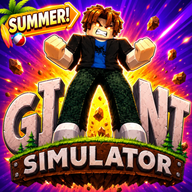
Unleash Your Inner Colossus: Playing Giant Simulator: REBORN on Android
Discover how to play Giant Simulator: REBORN on Android devices, master growth mechanics, and dominate the leaderboards in this popular Roblox game.
Embarking on Your Epic Journey: What is Giant Simulator: REBORN?
Imagine a world where your ultimate goal is to grow into the biggest, most powerful being imaginable, dominating all who stand in your way. This is the thrilling premise of Giant Simulator: REBORN, a hugely popular experience on the Roblox platform. This incremental simulator challenges players to click, grow, and conquer, constantly pushing the boundaries of their strength and size. If you're wondering how to get started with Giant Simulator: REBORN on Android, you're in the right place.
The game is designed for continuous progression, making it an engaging title for both casual and dedicated players. It's not just about getting big; it's about strategizing your growth, equipping the best gear, and collecting loyal pets that evolve alongside you. For mobile gamers, the prospect of taking this immersive experience on the go, specifically playing Giant Simulator: REBORN on Android, opens up a world of portable giant-growing fun.
The Core Loop: Grow, Equip, Dominate
At its heart, Giant Simulator: REBORN offers a compelling gameplay loop centered around continuous improvement. Players begin as humble avatars and, through persistent clicking, gain XP that contributes to their size and strength. This simple yet addictive mechanic forms the foundation of becoming the ultimate giant.
Mastering Growth and Rebirth
The primary objective is to become "the BIGGEST giant on Roblox." This isn't a linear path but a cyclical one, thanks to the rebirth system. As you grow, you'll unlock better gear and become stronger, faster, and richer. Rebirthing allows you to reset your progress in exchange for permanent stat boosts, making you even more formidable in subsequent playthroughs. This strategic element adds significant depth to the game, encouraging players to plan their rebirths for maximum efficiency.
Gear Up and Hatch Loyal Companions
Beyond raw size, your giant's effectiveness is heavily influenced by the equipment you wield and the pets you collect. Powerful weapons and robust armor are essential for overcoming challenges and climbing the leaderboards. Pets aren't just cosmetic; they hatch, collect, and upgrade, growing with you and providing crucial bonuses. Choosing the right combination of gear and pets can significantly accelerate your progress and give you an edge over competitors.
Climbing the Leaderboards
Competition is a key driver in Giant Simulator: REBORN. Players strive to "climb the leaderboards and rule the server," showcasing their dedication and strategic prowess. This competitive aspect adds a layer of excitement, motivating players to constantly optimize their growth, gear, and rebirth cycles. The satisfaction of seeing your name among the top giants is a powerful incentive to keep playing and improving.
Here's a breakdown of the core mechanics:
| Mechanic | Action | Benefit |
|---|---|---|
| Clicking | Tap the screen/mouse repeatedly | Gain XP, grow larger |
| Leveling Up | Accumulate XP | Unlock better gear, increase stats |
| Equipping Gear | Acquire and wear weapons/armor | Boost strength, speed, defense, wealth |
| Hatching Pets | Open eggs | Collect companions with stat bonuses |
| Upgrading Pets | Enhance pet abilities | Further increase player stats and capabilities |
| Rebirthing | Reset progress voluntarily | Gain permanent strength boosts, get stronger |
| Leaderboards | Compete with other players | Achieve recognition, rule the server |
Is Giant Simulator: REBORN Available on Android Devices?
Absolutely! The good news for mobile gamers is that playing Giant Simulator: REBORN on Android is not only possible but also a popular way to enjoy the game. Since Giant Simulator: REBORN is a game hosted within the Roblox platform, its availability on Android hinges entirely on the Roblox application itself.
Roblox has a robust mobile presence, with dedicated apps for both Android and iOS devices. This means that once you download the official Roblox app from the Google Play Store, you gain access to the entire library of Roblox experiences, including Giant Simulator: REBORN. The game is designed to be accessible across various devices, allowing players to seamlessly switch between PC, console, or their Android phone or tablet.
This cross-platform compatibility ensures that your progress is synchronized, meaning you can start growing your giant on your PC and continue your quest for dominance on your Android device while on the go. The convenience of having this expansive simulation game in your pocket makes the Giant Simulator: REBORN Android experience particularly appealing.
To play, simply:
- Download the official Roblox app from the Google Play Store.
- Log in with your Roblox account (or create a new one).
- Search for "Giant Simulator: REBORN" within the app.
- Click to play and start your journey!
Here's a quick look at device compatibility for Roblox games like Giant Simulator: REBORN:
| Platform | Availability | Notes |
|---|---|---|
| Android | Yes | Via the official Roblox app from Google Play Store |
| iOS | Yes | Via the official Roblox app from Apple App Store |
| PC/Mac | Yes | Via the Roblox Player application |
| Xbox | Yes | Via the Roblox app on Xbox One, Xbox Series X/S |
| PlayStation | Yes | Via the Roblox app on PlayStation 4/5 (community reports) |
Optimizing Your Giant Simulator: REBORN Android Experience
While playing Giant Simulator: REBORN on Android offers incredible convenience, optimizing your experience can significantly enhance gameplay. Mobile devices, especially older models, might face performance challenges with graphically intensive Roblox games.
Device Specifications and Performance
For the best experience, ensure your Android device meets or exceeds the recommended specifications for the Roblox app. A stable internet connection is crucial, as Roblox games are online experiences. Wi-Fi is generally preferred over mobile data for consistent performance and to avoid data overages. Keep your device's operating system updated to the latest version to benefit from performance improvements and bug fixes.
Community reports often highlight that while Giant Simulator: REBORN is generally well-optimized, higher-end Android phones will naturally provide smoother frame rates and faster loading times. Closing background apps before playing can free up RAM and CPU resources, leading to a more responsive game.
Controls and User Interface
The controls for Giant Simulator: REBORN on Android are adapted for touchscreens. While clicking to gain XP is intuitive, navigating menus, equipping items, and interacting with the game world might feel different compared to a mouse and keyboard. Take some time to familiarize yourself with the mobile UI. Some players, based on community reports, find using a Bluetooth controller with their Android device can improve precision, especially in games that require more complex movement or combat. However, for an incremental game like Giant Simulator: REBORN, touch controls are generally very effective.
Consider these tips for a smoother Giant Simulator: REBORN Android session:
| Aspect | Recommendation | Benefit |
|---|---|---|
| Internet Connection | Use stable Wi-Fi; avoid weak mobile data signals | Reduces lag, prevents disconnections |
| Device Performance | Close unnecessary background apps, clear cache regularly | Frees up RAM and CPU, improves frame rate |
| Battery Life | Play with device plugged in or ensure full charge; reduce screen brightness | Prevents interruptions, maintains consistent performance |
| Graphics Settings | Adjust in-game graphics quality down if experiencing lag (if available in Roblox) | Improves frame rate on less powerful devices |
| Touch Controls | Practice navigating the UI; consider a Bluetooth controller for complex actions | Enhances precision and comfort for extended play |
| Device Cooling | Avoid playing in direct sunlight or on soft surfaces that block vents | Prevents overheating, maintains optimal performance and battery health |
Why Play Giant Simulator: REBORN on Android? The Perks of Portable Power
The appeal of playing Giant Simulator: REBORN on Android extends beyond mere availability; it offers unique advantages that cater to modern gaming habits. The ability to take your giant-growing adventure anywhere means you're no longer tethered to a desktop or console.
Unmatched Portability and Convenience
One of the most significant benefits is the sheer portability. Whether you're commuting, waiting in line, or simply relaxing on the couch, your progress in Giant Simulator: REBORN is always just a tap away. This convenience allows for short, frequent play sessions, which are perfect for incremental games where consistent engagement leads to faster growth. You can log in, click for some XP, check on your pets, and log out, all within a few minutes.
Casual Gaming at Your Fingertips
Giant Simulator: REBORN is an excellent fit for casual mobile gaming. The core mechanics are easy to grasp, and the progression system is designed to be rewarding even with intermittent play. This makes it an ideal choice for players who enjoy making steady progress without needing to commit to long, uninterrupted gaming sessions. The ability to play Giant Simulator: REBORN on Android transforms idle moments into productive growth opportunities for your in-game giant.
Accessibility and Broad Appeal
Roblox itself is known for its accessibility, and Giant Simulator: REBORN embodies this philosophy. By being available on Android, it reaches a massive global audience, allowing friends to play together regardless of their preferred device. This broad accessibility fosters a vibrant community and ensures that leaderboards are always competitive and exciting.
Here's a comparison of the pros and cons of playing on Android:
| Aspect | Pros of Android Gaming | Cons of Android Gaming |
|---|---|---|
| Portability | Play anywhere, anytime | Limited screen size compared to monitors |
| Accessibility | Reach a wider audience, easy to pick up and play | Potentially less precise controls for complex games |
| Convenience | Quick sessions, seamless progress syncing | Battery drain can be an issue for long sessions |
| Cost | Often utilizes existing device, free to download Roblox app | Performance can vary greatly depending on device specifications |
| Community | Engage with a large player base across platforms | Potential for overheating on older/less powerful devices |
Conclusion: Dominate on the Go with Giant Simulator: REBORN Android
Giant Simulator: REBORN offers an engaging and addictive incremental simulation experience, challenging players to grow from humble beginnings into colossal titans. Its core loop of clicking for XP, gearing up, hatching pets, and strategic rebirths provides endless hours of progression and competitive fun. The fantastic news is that this entire experience is readily available for players who prefer to game on the go.
By leveraging the robust Roblox platform, playing Giant Simulator: REBORN on Android devices is not only possible but also a highly convenient way to enjoy the game. Whether you're aiming to climb the leaderboards during your commute or simply want to check on your giant's progress during a short break, the Android version delivers the full experience. With a few simple optimizations for mobile play, you can ensure a smooth and rewarding journey as you strive to become the biggest giant on Roblox, right from the palm of your hand. So, download the Roblox app, search for Giant Simulator: REBORN, and start your epic growth story today!
Frequently Asked Questions (FAQ)
Q1: Can I play Giant Simulator: REBORN for free on Android?
A1: Yes, Giant Simulator: REBORN is a game within the Roblox platform, and the Roblox app itself is free to download and play on Android. While there might be in-game purchases (Robux) for cosmetic items or boosts, the core game experience is accessible without cost.
Q2: Is my progress in Giant Simulator: REBORN saved across different devices?
A2: Yes, as long as you log in with the same Roblox account, your progress in Giant Simulator: REBORN will be saved and synchronized across all devices, whether you play on PC, Xbox, or your Android phone.
Q3: What kind of internet connection do I need to play Giant Simulator: REBORN on Android?
A3: A stable internet connection is required to play Giant Simulator: REBORN on Android, as it's an online multiplayer game. A reliable Wi-Fi connection is generally recommended for the best experience, but mobile data can work if the signal is strong and consistent.
Q4: Are there any specific Android versions required to play Giant Simulator: REBORN?
A4: Roblox generally supports a wide range of Android versions, but for the best performance and compatibility, it's advisable to have a relatively recent version of Android (e.g., Android 5.0 Lollipop or newer) and sufficient RAM on your device. Always check the Google Play Store listing for the most up-to-date system requirements.
Related Guides
Dominate the Roblox World: Essential Tips & Codes for Giant Simulator Reborn on PC
Unlock powerful boosts and maximize your growth in Giant Simulator Reborn on PC with our comprehensive guide to active codes and gameplay strategies.
Giant Simulator Reborn Roblox: Unleash Your Inner Titan with These Codes & Tips
Become the ultimate giant in Roblox's Giant Simulator Reborn! Discover the latest active codes for free gold, learn redemption steps, and master strategies for massive growth and combat supremacy in this popular simulator.
Giant Simulator: REBORN on iOS: How to Play, Tips, and Mobile Performance
Discover if Giant Simulator: REBORN is available on iOS, how to play on your iPhone or iPad, and essential tips for maximizing your mobile gaming experience. Get ready to grow!
Giant Simulator: REBORN Play Online – Your Ultimate Guide to Becoming the Biggest on Roblox
Ready to become the biggest giant on Roblox? Discover how to play Giant Simulator: REBORN online, master growth, and dominate the leaderboards with our comprehensive guide.